

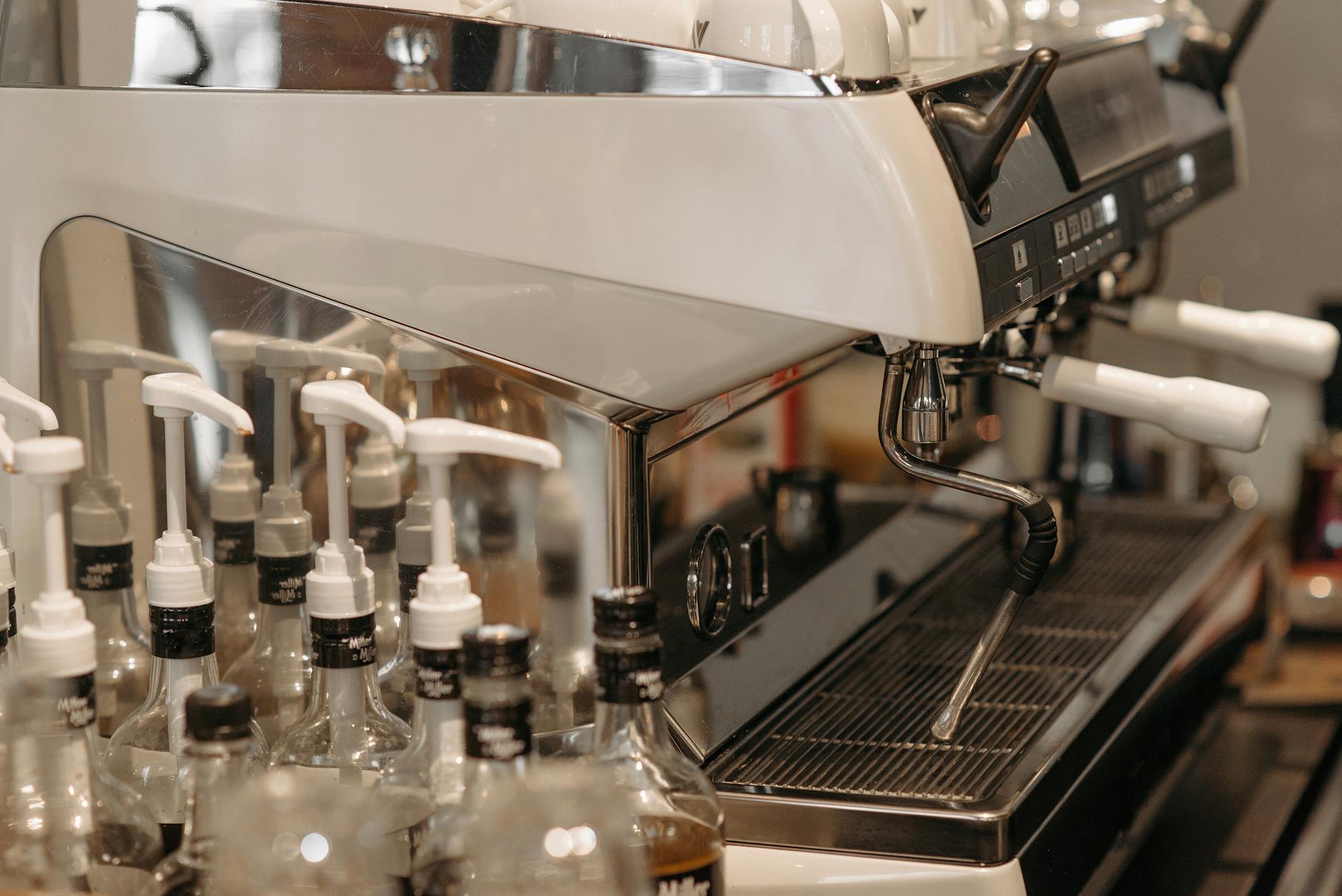
Optimizing Profitec Go PID settings for light and dark roast coffee
The Profitec Go has quickly become a favorite among home espresso enthusiasts, offering exceptional performance in a compact package. One of its standout features is the PID (Proportional-Integral-Derivative) controller, which provides precise control over brew temperature. This level of control is not just a fancy feature; it is the key to unlocking the full flavor potential of your coffee beans. Different roast levels have vastly different chemical compositions, requiring specific temperatures for optimal extraction. This guide will walk you through how to harness the power of your Profitec Go’s PID, providing you with the knowledge to dial in the perfect temperature for both delicate, acidic light roasts and rich, bold dark roasts, transforming your daily espresso from good to truly exceptional.
Understanding why temperature matters in extraction
Before adjusting any settings on your Profitec Go, it is crucial to understand why temperature is such a powerful variable in espresso brewing. At its core, brewing coffee is a process of extraction, where hot water acts as a solvent to dissolve flavorful compounds from the ground coffee. Temperature directly influences the rate and type of compounds that are extracted.
Generally, higher temperatures increase the solubility of coffee compounds. This is particularly important for light roast coffees. These beans are denser and less porous than their darker counterparts. Their desirable flavors, often characterized by bright acidity, fruitiness, and floral notes, are locked within complex organic acids and aromatic oils that require more thermal energy to dissolve properly. If the water is too cool, you will under-extract the coffee, resulting in a sour, thin, and unsatisfying shot. Pushing the temperature higher helps break down these compounds effectively.
Conversely, dark roast coffees are more porous and brittle due to the extended roasting process. The flavors are dominated by caramelized sugars and roasty, chocolatey notes. These compounds are much more soluble and extract easily. If you use water that is too hot, you risk over-extraction, which pulls out bitter, ashy, and burnt flavors, completely masking the coffee’s inherent sweetness. A lower brew temperature allows for a gentler extraction, highlighting the rich, deep flavors without introducing excessive bitterness.
Setting the brew temperature on your Profitec Go
Adjusting the PID on the Profitec Go is a straightforward process designed for user-friendly control. The PID display, located on the front of the machine, shows the current boiler temperature in real-time. To change the target brew temperature, you simply need to press the plus (+) and minus (-) buttons simultaneously for a moment. The display will start flashing, indicating you are in temperature adjustment mode.
From here, you can use the plus and minus buttons individually to increase or decrease the temperature to your desired set point. The Go allows for single-degree adjustments, giving you incredible precision. Once you have selected your target temperature, simply wait a few seconds without pressing any buttons, and the PID will lock in the new setting and stop flashing. It is important to allow the machine several minutes to stabilize at the new temperature. While the display might show the target temperature is reached, the entire group head and portafilter need time to heat soak to ensure thermal stability during the shot.
Dialing in for light roasts
When working with light roasts, your primary goal is to use a higher temperature to fully extract their complex and delicate flavors without them tasting sour. A sour shot is the classic sign of under-extraction, which is a common challenge with lighter, denser beans.
A great starting point for most light roast coffees on the Profitec Go is between 94°C and 98°C (201°F – 208°F). We recommend starting in the middle of this range, at 96°C (205°F), and pulling a shot. Taste is your ultimate guide:
- If the shot tastes overly sour or grassy: Your extraction is too low. Increase the temperature by one degree and try again. A small bump in temperature can significantly increase solubility and balance the acidity.
- If the shot tastes bitter, dry, or empty: You might be pushing the temperature too high, or another variable like grind size is off. Before lowering the temperature, ensure your grind is not too fine. If the grind seems right, try reducing the temperature by one degree to see if it mellows the extraction.
Remember that light roasts are less forgiving than dark roasts. Achieving a balanced shot requires careful attention not just to temperature, but also to grind size, dose, and yield. Use the PID as a powerful tool to target those bright, sweet, and fruity notes that make light roasts so special.
Perfecting your settings for dark roasts
With dark roasts, your strategy is the opposite of light roasts. The goal is to use a lower temperature to avoid over-extracting the very soluble, bitter compounds that can easily dominate the cup. You want to highlight the classic flavors of chocolate, nuts, and caramel without introducing any harsh, roasty bitterness.
For dark roast coffees, a good starting temperature range on the Profitec Go is 88°C to 92°C (190°F – 198°F). A safe bet is to start at 90°C (194°F) and evaluate the taste of your shot.
- If the shot tastes excessively bitter or ashy: This is a clear sign of over-extraction. Lower your brew temperature by one or two degrees. This will slow down the extraction of those bitter compounds and allow the sweeter, deeper flavors to come forward.
- If the shot tastes a bit weak or has a slight sour edge: While less common with dark roasts, this indicates you might be slightly under-extracting. Try increasing the temperature by one degree to achieve a fuller, more rounded flavor profile.
Dark roasts offer a rich and comforting espresso experience when brewed correctly. By using a lower temperature, you are taking a more gentle approach, ensuring you extract all the delicious caramelized sugars without the unpleasant bitterness that can result from water that is too hot.
Summary of starting temperatures
Use this table as a quick-reference guide for your initial PID settings. Remember to always adjust based on the taste of your specific beans.
| Roast Level | Starting Temp (Celsius) | Starting Temp (Fahrenheit) | Key Flavor Notes to Target |
|---|---|---|---|
| Light Roast | 94°C – 98°C | 201°F – 208°F | Fruity, floral, bright acidity |
| Medium Roast | 92°C – 94°C | 198°F – 201°F | Balanced, sweet, caramel |
| Dark Roast | 88°C – 92°C | 190°F – 198°F | Chocolate, nutty, low acidity |
Mastering the PID on your Profitec Go is a journey of taste and experimentation. By understanding the fundamental relationship between temperature and extraction, you can make informed adjustments that cater directly to the type of coffee you are brewing. As we have discussed, light roasts thrive at higher temperatures to unlock their complex acidity, while dark roasts require cooler water to prevent bitter over-extraction. The temperature ranges provided here are excellent starting points, but they are not absolute rules. The most important tool you have is your palate. Trust your taste, be patient with the dialing-in process, and do not be afraid to experiment. With each adjustment, you will get closer to brewing the perfect shot and fully appreciating the incredible control your Profitec Go offers.
 No products in the cart.