

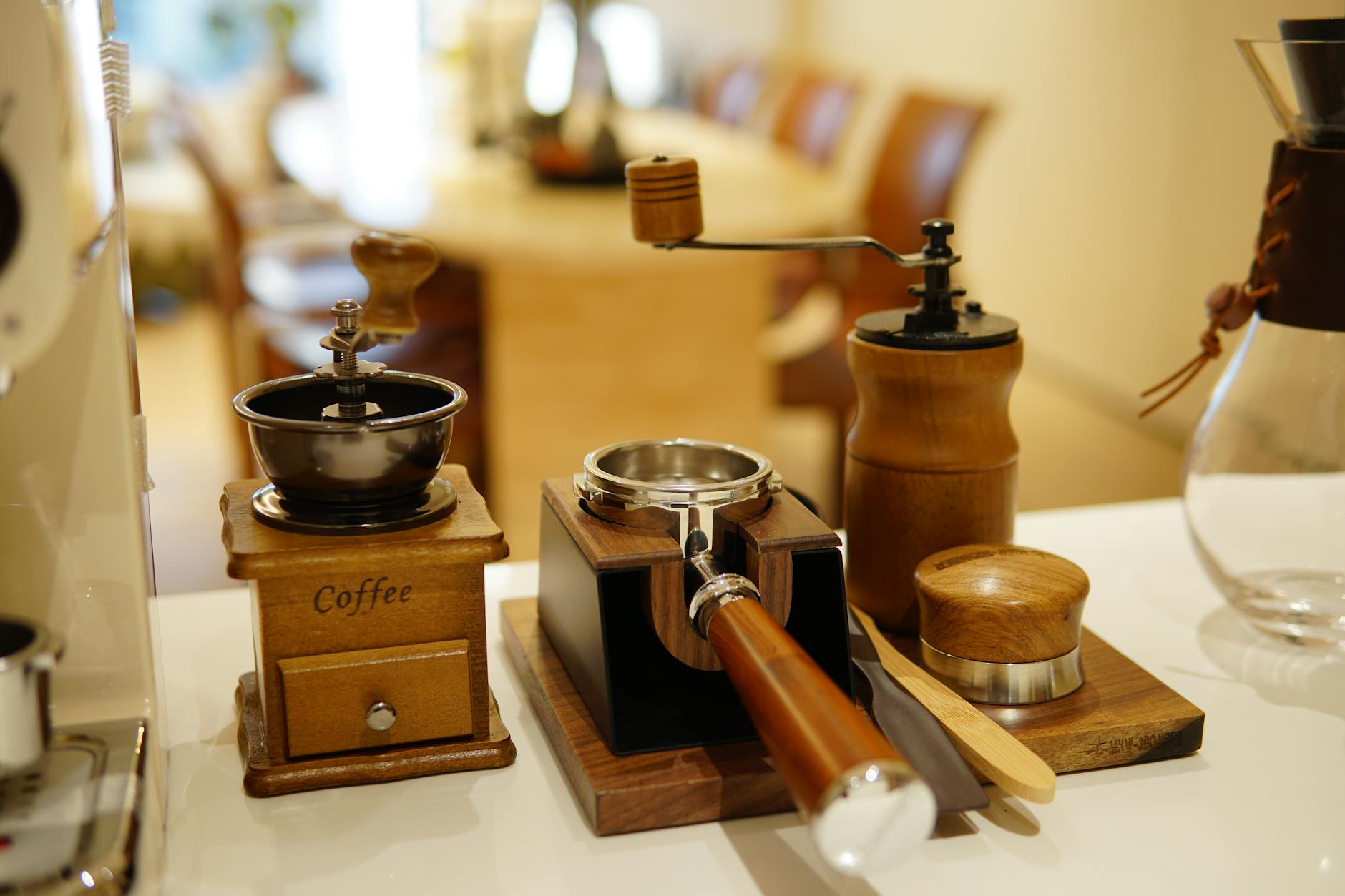
How to adjust the portafilter fork for a hands-free grinding workflow
For any home barista or coffee professional, the pursuit of the perfect espresso shot is a journey of precision and refinement. While we often focus on grind size, brew ratios, and tamping pressure, the physical workflow itself plays a crucial role in achieving consistency and efficiency. One of the most impactful yet often overlooked upgrades to this workflow is achieving hands-free grinding. This allows you to dose coffee directly into your portafilter without holding it, freeing your hands for other tasks like preparing milk or wiping the counter. The key to this seamless operation lies in a small but mighty component: the portafilter fork. This article will guide you through the process of properly adjusting your grinder’s fork to create a stable, mess-free, hands-free setup that will elevate your daily coffee routine.
Understanding the portafilter fork and its role in your workflow
Before we start turning screws, it’s important to understand what the portafilter fork is and why its position is so critical. The portafilter fork, also known as a cradle or holder, is the set of arms on your espresso grinder designed to support the portafilter directly under the exit chute. Its primary function is to provide a stable platform, so coffee grounds fall neatly into the basket. When it isn’t adjusted correctly, you’re forced to hold the portafilter in place, which negates the convenience of a grinder designed for this purpose.
An improperly adjusted fork leads to several common frustrations. The portafilter might sit at an angle, causing grounds to spill over one side. It could be too low, resulting in a messy countertop as grounds miss the basket. Or, it might be unstable, risking a costly and frustrating spill if it tips over mid-grind. By taking the time to set it up perfectly for your specific portafilter, you ensure that the grounds are centered, the process is stable, and your workflow becomes cleaner and more efficient. This small adjustment is the foundation of a truly hands-free experience.
Preparing for the adjustment: what you’ll need
Proper preparation makes any task easier. Adjusting your portafilter fork is a straightforward process, but having the right tools and information on hand will ensure it goes smoothly. This isn’t a complex mechanical task, but a few key items will make all the difference. Most grinders are designed to be user-adjustable, and the process typically only takes a few minutes.
Before you begin, gather the following:
- Your primary portafilter: It’s crucial to make adjustments based on the portafilter you use every day. A spouted portafilter will sit differently than a bottomless (naked) one, so use the one that matters most to your workflow.
- Basic tools: Most grinders use common fasteners. You will likely need a Phillips head screwdriver or a set of Allen (hex) keys. Check your grinder’s base or the area around the fork to see what’s required.
- A soft cloth: Use this to clean the grinder chute, fork, and surrounding area before you start. It’s also useful for wiping away any stray grounds during testing.
- Your grinder’s user manual (optional but recommended): If you still have it, your grinder’s manual is the best resource. It will often have a specific diagram showing the location of the adjustment screws and may offer brand-specific tips.
Once you have your tools, ensure your workspace is clean and well-lit. This simple preparation prevents fumbling for tools and sets you up for a quick and successful adjustment.
A step-by-step guide to adjusting the fork
With your tools and portafilter ready, you can now begin the adjustment process. The goal is to position the portafilter so it is stable, level, and centered under the grinder’s chute, creating a clear path for the grounds to fall directly into the basket with minimal mess.
Follow these steps for a perfect setup:
- Locate and loosen the adjustment screws: Look for the screws that secure the fork to the grinder body. They are typically located underneath the fork or on the side of the housing it’s attached to. Using your screwdriver or Allen key, loosen them just enough so that the fork can move, but not so much that it becomes completely loose.
- Position your portafilter: Place your empty portafilter on the fork, resting its lugs on the arms. Slide it into position under the chute. The ideal placement is where the basket opening is as close to the chute as possible without touching it. This minimizes the distance the grounds have to fall, which helps reduce static and mess.
- Adjust the height and angle: Gently move the fork up or down to find the sweet spot. The portafilter should be perfectly level to encourage an even mound of coffee. If it’s angled forward or backward, the grounds will pile up on one side. Ensure it sits securely without any wobble. For grinders with a grind-activation button, you’ll also need to adjust the depth so the portafilter presses the button reliably.
- Tighten the screws: Once you are happy with the position, carefully hold the fork in place and tighten the screws. Tighten them firmly to ensure the fork won’t shift during use, but be careful not to overtighten and strip the screws.
- Test your new setup: The final step is to test your work. Place the portafilter back on the fork and grind a normal dose of coffee. Watch closely to see how the grounds fill the basket. They should form a neat, centered mound with little to no spillage. If you notice any issues, make minor adjustments and test again.
Troubleshooting common issues
Even with a careful setup, you might encounter a few small issues. Most problems are easily corrected with a minor tweak. If your hands-free setup isn’t quite perfect, consult the table below for common problems and their solutions.
| Problem | Potential Cause | Solution |
|---|---|---|
| Coffee grounds are spilling over the front or back of the basket. | The portafilter is not level. It’s tilted either forwards or backwards. | Loosen the fork screws and adjust the angle until the portafilter basket sits perfectly flat. |
| The portafilter feels wobbly or unstable. | The fork is not fully tightened, or it isn’t making solid contact with the portafilter lugs. | Ensure the adjustment screws are fully tightened. Check that the shape of the fork is compatible with your portafilter and that the lugs are seated securely. |
| Grounds are piling up on one side of the basket. | The portafilter is not centered directly under the chute. | Adjust the fork’s position horizontally until the basket is perfectly centered under the flow of grounds. |
| The grind-activation button isn’t being pressed. | The portafilter is not sitting deep enough to make contact with the microswitch or button. | Adjust the fork’s position, moving it slightly closer to the grinder’s body until the portafilter engages the button when inserted. |
Pro tip: For an even cleaner experience, consider investing in a dosing funnel or dosing collar. This simple accessory sits on top of your portafilter basket and acts as a wall, preventing any grounds from spilling over the sides, even if your distribution isn’t perfectly centered. It’s an excellent companion to a hands-free workflow.
Conclusion
Achieving a hands-free grinding workflow is a simple yet transformative upgrade for any espresso enthusiast. By taking just a few minutes to properly adjust your grinder’s portafilter fork, you can eliminate mess, improve your efficiency, and introduce a new level of consistency to your routine. As we’ve covered, the process involves understanding the fork’s purpose, preparing with the right tools, and following a methodical step-by-step adjustment. Troubleshooting any minor issues is typically quick and easy. This one-time setup pays daily dividends, freeing up your hands and allowing you to focus on the other variables that go into crafting a delicious shot of espresso. It is a small investment of time that refines your entire coffee-making process from bean to cup.


 No products in the cart.